


Microlearning: Study Apps AI
3.96.00 Reviews
App Specs
- Version
- 1.3.3
- Updated On
- License
- Free
- Downloads
- 10,000+
- Developer
- CardzyGames
- Categories
- Education
- Platform
- Android
Screenshots
 Analysis by AppCompare
When I have a book or a dense set of notes to learn from, the hardest part is often not finding time to read; it is turning what I read into something I can review later. Microlearning: Study Apps AI is built around that gap. It is an education app from CardzyGames that uses AI to help turn book material into study resources, with spaced repetition as the learning approach. I like the idea most for people who already have useful source material and want a more active way to revisit it, rather than another place to collect files.
A good fit for short, purposeful study windows
I can see this workflow being especially useful for someone with a narrow goal and an awkward schedule: a student with a chapter to retain between classes, a reader who wants to remember ideas from a nonfiction book, or a worker preparing to explain a process at a meeting. In those cases, making every prompt from scratch can be the chore that stops a study habit before it starts. AI-generated material can lower that initial barrier, while the learner still decides what deserves attention.
The trade-off is that a short session works best when the source is already organized. A clearly titled chapter or a set of notes on one topic gives you a more manageable starting point than a folder of mixed documents or a book with several unrelated arguments. I would pick material I expect to use soon, not generate cards simply because I have a file available. That keeps the review connected to a real outcome.
From reading material to a study session
I start with a specific reading goal rather than a blank study session: one chapter, one set of notes, or a topic I need to explain later. That keeps the first conversion manageable and gives me a clear way to judge whether the resulting prompts are useful. From there, the section follows the handoffs that matter most—checking the AI’s draft, choosing a study format, and using missed answers to guide a return to the source.
Start with a source you can actually use
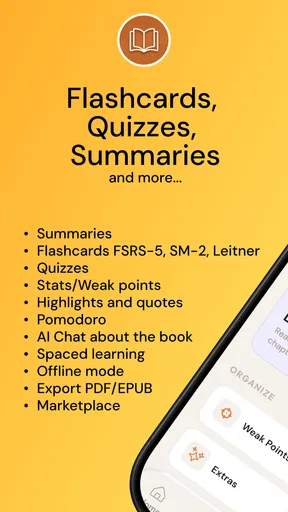
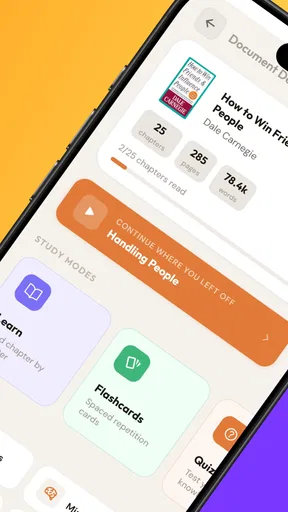
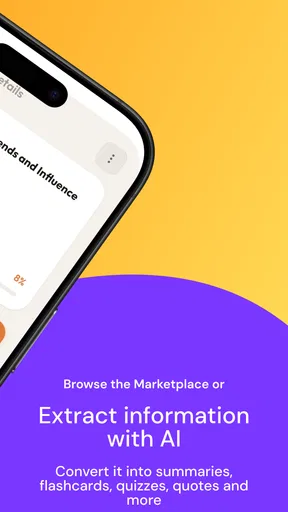
The workflow begins with the material you want to learn, not with a blank page. That makes the app a potentially practical companion for a course chapter, a nonfiction book, or notes gathered for a work task. Instead of manually writing every prompt and answer, you can use AI-generated flashcards, quizzes, and study notes as a first pass. The important distinction is that generated material is a draft for learning, not a guarantee that every detail has been captured correctly.
I would choose a focused section rather than trying to transform an entire book in one go. A chapter with a clear topic gives you a better chance of getting a coherent set of study prompts, and it is easier to check the result against the source. This is also a useful way to avoid a common AI-study trap: accumulating a large pile of cards that looks productive but is too broad to review carefully.
Let the app make the first draft, then check it
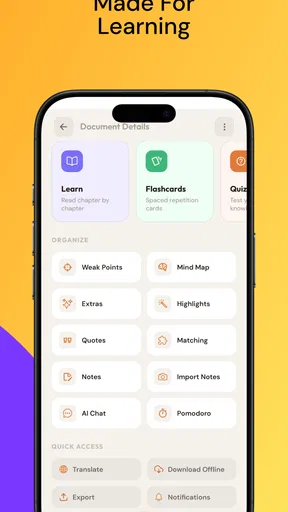
Once the source has been turned into learning material, the formats serve different purposes. Flashcards are suited to quick recall; a quiz can reveal whether I can retrieve information without seeing the answer first; notes are better for reconnecting individual facts to the larger explanation. Having these options in one study flow is more useful than treating every subject as a stack of isolated cards.
Worth Reading Before You Choose

EA SPORTS FC Mobile 26 Is a Bigger Football Game, but It Takes Time

Flipboard Shows What News Apps Must Do Beyond the Feed

Switching to Android Auto Means Rethinking Your Driving Routine

Google Calendar Makes a Crowded Week Easier to Manage

Ludo King Makes the Most of the Minutes Between Plans

Baby Panda World Brings Quick Play to Modern Phones, but Its Game Library Feels Busy
My practical advice is to review a small sample before trusting a generated set. Look for cards that ask one clear question, answers that preserve important qualifications, and quiz prompts that test understanding rather than merely repeat a sentence. If a card compresses a nuanced idea into an oversimplified answer, I would edit my own study approach by returning to the source instead of memorizing the shortcut. AI can save the effort of making a first draft, but judgment still belongs to the learner.
Use spaced review instead of rereading everything
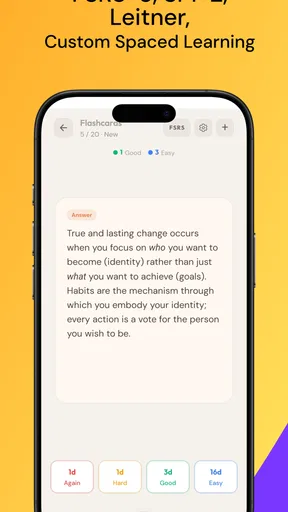
The spaced-repetition approach is the part that gives this workflow a learning purpose beyond convenient content generation. Rather than repeatedly reading the same chapter from beginning to end, I can use short review moments to test what has stuck and identify what needs another look. That is especially helpful when a subject has many terms, definitions, or linked concepts that are easy to recognize on the page but harder to recall unaided.
A realistic routine might be a student reviewing a chapter after class, then revisiting the same material during a spare moment the next day. The first session is for checking the generated cards and correcting anything unclear; the later one is for retrieval practice, with the book kept nearby for resolving mistakes. That handoff—from source, to prepared prompts, to personal review—is where the app’s concept makes the most sense. It does not replace the original reading; it helps make the reading easier to revisit actively.
Move between formats without losing the point
Each format can support a different stage of preparation. I would use notes to get the shape of a topic, flashcards to test precise recall, and quizzes to see whether I can handle a mixed set of questions. If I keep missing the same idea, I would not simply repeat that card until the wording feels familiar. I would go back to the relevant passage, check what I misunderstood, and then try again. That small return trip to the book is a valuable handoff, because it connects a wrong answer to the reason behind it.
This workflow is more active than highlighting pages or rereading a chapter, but it also asks for more supervision than a conventional digital notebook. A notebook preserves what I wrote; this app aims to help convert source content into practice. If the generated output is not checked, the convenience can become a weakness. For material where one exception changes the meaning—such as technical instructions or carefully qualified arguments—I would keep the original text close and treat the app as a study aid, not an authority.
What the finished study session should give you
The useful outcome is not simply a collection of AI-made cards. It is a clearer sense of what I can recall, what I only recognize when I see it, and which parts still need the book’s full explanation. That distinction matters before an exam, a presentation, or a meeting where I need to explain an idea rather than just spot a familiar phrase.
For example, someone learning terminology for a class could use a short quiz to find weak spots, then return to the notes for the concepts behind those errors. Someone reading a practical nonfiction book might make cards for key principles and use the notes to keep examples in context. These are better fits than trying to turn every paragraph into a question. The strongest workflow is selective: create enough material to prompt useful recall, but not so much that managing the study set becomes another task.
Where the workflow can become frustrating
The main trade-off is that AI-generated study material still needs a human quality check. A card can be fluent but vague, and a quiz can make a topic appear simpler than it is. If you are studying a subject where exact wording, exceptions, or source attribution matter, use the app alongside the original book and verify important answers. Learners who want complete control over every prompt may prefer writing their own cards in a traditional flashcard tool, even if that takes longer.
There is also a difference between wanting a structured study process and wanting a place to read. This is not the option I would choose if my main goal were long-form reading, detailed annotation, or managing a library of books. Its value lies in converting material into review activities. If you rarely return to generated cards or do not want to check AI output, a plain notes app may be simpler and more dependable for your habits.
Before building a large routine around it, I would test one manageable section of a book and see whether the resulting cards and quizzes match how I learn. That trial reveals the practical friction early: whether the source material is suitable, whether the output needs a lot of correction, and whether short review sessions fit your day. It is a more sensible test than generating a huge collection and discovering later that it is difficult to maintain.
Who should try it, and who may prefer another tool
I think the app is best for learners who have a defined source and want help turning it into a repeatable review routine. It may suit students, independent readers, or professionals who need to retain ideas from books and notes without rewriting everything by hand. The combination of cards, quizzes, notes, and spaced review gives those users several ways to work with the same subject, provided they are willing to inspect what the AI produces.
It is less compelling for someone who learns best by carefully annotating a text, discussing ideas with other people, or solving open-ended problems. Those activities need more than quick recall prompts. A handwritten or conventional flashcard workflow can also be better when precision and customization outweigh speed. I would treat Microlearning as a bridge from reading to practice, not as a replacement for teaching, deep reading, or a reliable source of subject knowledge.
How it compares with familiar study habits
Compared with making flashcards by hand, the attraction is a quicker first draft from existing material; the cost is that you must spend attention checking what the AI has produced. A basic notes app gives you more direct control over wording and organization, but it does not turn those notes into the same mix of recall prompts and quizzes by itself. Rereading remains useful when you need the author’s full argument, while this app is more compelling when your next step is to test what you can retrieve.
I would not treat those options as rivals that require choosing only one. A practical sequence is to read in the format that suits the source, use the app to prepare a small practice set, and keep the original book or notes as the reference when a question exposes a gap. The handoff matters: if you move from a generated answer straight to memorizing it without checking the context, you may learn a neat but incomplete version of the idea.
Availability and the value question
Microlearning: Study Apps AI is free to install and is rated for Everyone. Its average rating is 3.9 from around 57 ratings, with over 10,000 installs, so it has found an audience but is not so widely reviewed that I would treat the rating as a complete picture of every learner’s experience. The app was released on August 6, 2024, and its current version is 1.3.3, with Android 7.0 as the minimum operating system requirement.
There are in-app purchases priced from $3.99 to $39.99 per item. I would first establish whether the basic workflow suits my material before spending money: the key question is whether the generated study aids are accurate and useful enough for my own subject. The range means it is worth checking the purchase details in the app before committing, rather than assuming every part of the experience is covered by the free install.
My take after following the whole process
What I find appealing is the clear route from a book to active recall, with several formats available for moving from overview to self-testing. The strongest use is a modest, repeatable routine: choose a focused source, inspect the generated material, quiz yourself, and return to the text when an answer exposes a gap. That gives the app a more meaningful role than simply automating flashcard creation.
I would recommend it as a practical study assistant, not an unattended tutor. If you are happy to check AI-created material and want help making reading easier to review, it is worth trying. If you need exact control, rich annotation, or deep practice beyond recall, another study method may serve you better. Its success depends less on how many cards it can make than on whether the cards help you return to the ideas that matter.
Pros
- Short lessons make it easier to fit study into a busy day.
- AI-generated quizzes can help reinforce recently learned material.
- A focused format may feel less overwhelming than long study sessions.
- Useful for reviewing topics in small
- repeatable chunks.
- Can complement classes or textbooks rather than replace them.
Cons
- AI explanations may contain errors
- so verify important facts.
- Bite-sized lessons may lack the depth needed for complex subjects.
- Some features or content may require a subscription.
- Personalized recommendations depend on the quality of your inputs.
- Frequent notifications can become distracting if not managed.
FAQs for Microlearning: Study Apps AI
What is Microlearning: Study Apps AI?
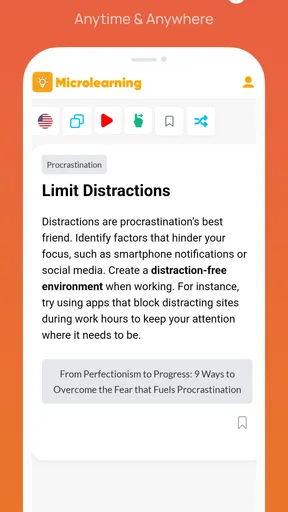
Microlearning: Study Apps AI is a learning app built around short, focused study sessions rather than long lessons. Its AI-related features may help users create or organize learning materials, depending on the tools available in their version. It is intended for people who want to study in small intervals, review information regularly, and fit learning into a busy schedule. Check the app listing for the current feature set.
How does the app use AI to help with studying?
AI tools in study apps can assist with tasks such as summarizing material, generating questions, or organizing notes, but the exact options available in Microlearning: Study Apps AI may vary by app version or subscription. Treat generated explanations and answers as study aids, not guaranteed facts. For important topics, compare results with reliable course materials and review the app’s privacy information before sharing personal or sensitive content.
Is Microlearning: Study Apps AI free to download and use?
The app may be available to download without an upfront charge, while some features or continued use may require a subscription or in-app purchase. Pricing, trial terms, and included tools can change, so review the Google Play Store or Apple App Store listing before installing. If you start a trial, note its renewal date and cancellation requirements to avoid an unexpected charge.
Can I use Microlearning: Study Apps AI offline?
Offline access depends on how the app handles its lessons, saved materials, and AI features. Content already downloaded or stored on your device may remain available without an internet connection, while AI processing, syncing, and newly generated study materials often need connectivity. Check the app’s settings and store description for offline details, and test access to any important materials before relying on them while traveling.
Is Microlearning: Study Apps AI suitable for every learner, and what should I check before downloading?
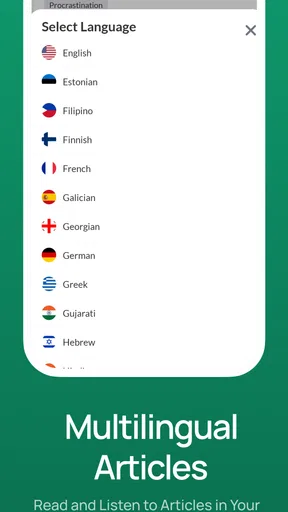
The app may suit learners who prefer brief study sessions, reminders, and digital review tools, but it may not replace a structured course, teacher, or specialist learning support. Before downloading, check device compatibility, supported languages, subscription details, data collection disclosures, and recent user reviews. Also consider whether its learning format matches your goals; consistent practice and checking information against trusted sources remain important.


